Need a schedule based on more than one demographic or need to change the demographic of the schedule?
If you need a schedule based on more than one demographic you will need to save the schedule based on the one demographic and then change the demo and save the schedule again but change the Product name in Targeting so you can tell them apart and the software does not overwrite the one you just created.
Here is how:
After buidling you schedle based on one demographic , save it. Now lets change the demo graphic wihtout having to rebuild the same schedule. Left click on the teal color box at the top
That will bring up this popup window. Click on DEMO ( By the way this is the same place you can change the book you are using. Great if you want to update an old schedule to a new book or books. just click on Surveys)
Chose the demo you now want the schedule to be based on and then click OK
Now your schedule is based on that new demo. Again you should change the product name in Targeting so you can tell the two schedules apart.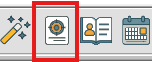
You now have two saved schedules with different demos.
Related Articles
Change what month or Demographic that a schedule is based on
If you have an existing schedule that you want change what month (book) it based on, it is easy to change. Maybe you have a schedule you want to change the demographic it is based on. You do not have to re-create the schedule. You can simply change ...How to create a schedule when the weeks change in a flight or you want to consolidate the number of flights.
What to do if you, have a multi flight you want to condense or a flight where the schedule changes week to week inside that flight? Here are 3 workarounds. Keep in mind these will not work when creating an XML for an Agency as they require dates. For ...How to switch markets in Radius
It is easy to switch back and forth between market ratings if you have different books for different markets. Be aware when switching between markets besure you have closed all other modules in Radius and have returned to the home screen. Any ...How to copy a schedule from one radio station to another
If you built a schedule for one radio station and you want to copy it over to another radio station this video will show you how. If you do not know how to add a radio station to your schedule click here Add or remove a station on a ScheduleHow to add your name or change your name on Reports
Here is a quick video on how to add or change your name to reports in Radius.